
Di seguito è riportato un elenco delle migliori applicazioni per il monitoraggio delle spese aziendali.
Panoramica
È fondamentale tenere traccia delle entrate e delle uscite di cassa perché è necessario per il funzionamento di qualsiasi azienda.
Oggi un intero mercato è dedicato allo sviluppo di strumenti e applicazioni aziendali potenti e dinamici per scopi fiscali e contabili e per tutti gli aspetti delle operazioni quotidiane, compreso il monitoraggio e la presentazione delle spese generate dall'azienda. Questi strumenti sono dotati di diverse funzionalità, come la creazione automatica di fatture a partire dalle ricevute e i rimborsi diretti ai dipendenti.
I libri contabili e gli ingombranti software di contabilità non hanno molto spazio nel mondo attuale quando si tratta di gestire le spese aziendali. Se si utilizzano ancora queste tecniche obsolete di contabilità e monitoraggio delle spese, si perdono senza dubbio molte funzioni e soluzioni utili.
Naturalmente sono disponibili diverse soluzioni. La prima cosa da fare è concentrare la ricerca in base alle dimensioni dell'azienda, perché le soluzioni di rendicontazione delle spese sono adatte a tutti i tipi di impresa, dalla ditta individuale alla società. Inutile dire che, se siete un imprenditore individuale, avete bisogno solo di alcune funzioni di base. È possibile rinunciare a un programma dinamico e completo per la rendicontazione e la tracciabilità delle spese.
Costo del download di un'app di monitoraggio delle spese
Le funzioni, gli strumenti e la misura in cui possono aiutarvi a tenere traccia delle vostre spese, così come la possibilità di collegarle al software di contabilità e il tipo di report che possono aiutarvi a generare, variano tra le app di monitoraggio delle spese. Anche i costi variano. Un'applicazione di monitoraggio delle spese competente dovrebbe costare in genere tra $5 e $30 al mese per utente.
La maggior parte delle app di monitoraggio delle spese non sono gratuite, quindi dovete stabilire se il costo è ragionevole per voi e per la vostra azienda. Prima di utilizzare l'app, decidete per cosa sarà usata, cosa vi serve e quanti utenti ci saranno. Il canone mensile dell'applicazione può essere giustificato se consente di ridurre gli sprechi, di organizzare le ricevute per la stagione fiscale e di fornire rapporti che aumentano la produttività.
Le migliori applicazioni per il monitoraggio delle spese aziendali: Expensify
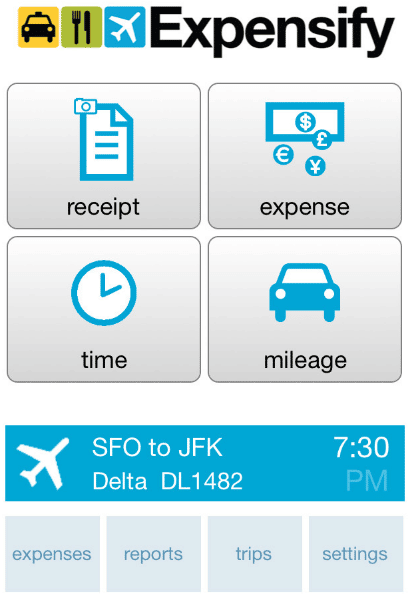
Grazie al suo ampio set di funzioni e alle sue capacità di automazione, Expensify è una delle migliori app di monitoraggio delle spese.
Gli utenti possono completare i resoconti delle spese, seguire le ricevute e fare altre cose. La gestione delle ricevute è semplificata, anche quando si è in viaggio, grazie alla tecnologia SmartScan. Per creare una rendicontazione in tempo reale, l'applicazione è in grado di acquisire, riportare e inviare automaticamente le spese.
Fotografate lo scontrino per avere informazioni come il rivenditore, la data e il prezzo codificati automaticamente per un rimborso più rapido. Per i viaggi imminenti, i voli in ritardo e altre informazioni, si ricevono anche notifiche di viaggio in tempo reale. Eventuali modifiche al programma vengono fornite direttamente sul vostro dispositivo mobile. Inoltre, il monitoraggio del chilometraggio è parte integrante del pacchetto.
Expensify supporta sia il rimborso del deposito diretto entro il giorno successivo che la riconciliazione della carta aziendale. Inoltre, fornisce connessioni contabili con programmi come NetSuite, Xero e QuickBooks.
Nonostante le numerose funzioni mobili, alcuni utenti contestano la necessità di filtrare manualmente le ricevute per farle coincidere con le note spese. Altri osservano che l'applicazione a volte si blocca, rendendo necessario il caricamento di nuove ricevute.
Vantaggi di Expensify
- Gli utenti possono caricare le ricevute con la tecnologia SmartScan mentre sono in transito.
- Il pagamento diretto il giorno successivo e il rimborso con carta di credito aziendale sono entrambe opzioni.
- Notifiche istantanee per le informazioni di viaggio
Svantaggi di Expensify
- Per abbinare le ricevute alle note spese, è necessario uno smistamento manuale.
- Quando un'app si blocca, alcuni utenti sono costretti a caricare ripetutamente le ricevute.
Le migliori applicazioni per il monitoraggio delle spese aziendali: Zoho Expense
Grazie alla semplicità del monitoraggio delle spese e alla rapidità delle approvazioni, Zoho Expense è anche una delle migliori app per il monitoraggio delle spese aziendali.
Con l'aiuto dell'applicazione è possibile conservare rapidamente copie digitali delle ricevute e tenere traccia delle spese effettuate. Inoltre, è possibile aggiungere altre colonne di dati, classificare le spese per tipo e inserire le ricevute nei rapporti. Ancora meglio, è possibile tenere traccia delle spese chilometriche del viaggio con l'aiuto del localizzatore GPS e delle mappe integrate.
Per importare e gestire automaticamente le transazioni, è possibile connettere il proprio sistema di carta di credito nell'app. Le spese possono anche essere raggruppate e presentate ai manager per l'approvazione.
Inoltre, è possibile creare tariffe diarie per il personale e sono supportate diverse valute. È possibile monitorare le spese eccessive e limitare le infrazioni alle politiche con l'aiuto di analisi migliorate.
Le funzioni, pur essendo sorprendenti, non sono prive di inconvenienti e restrizioni. L'applicazione presenta occasionalmente dei bug e gli utenti devono inserire le loro informazioni più di una volta. Un'altra lamentela degli utenti del programma è la mancanza di integrazione con un software di contabilità, che alcune aziende potrebbero trovare dispendiosa in termini di tempo. Zoho Expense può anche essere piuttosto costoso, quindi valutate se siete disposti a spendere soldi per questo.
Vantaggi di Zoho Expense
- Conservate le ricevute online e tenete d'occhio le vostre spese in tempo reale.
- Traccia i chilometri percorsi con il GPS integrato
- Integrare carte di credito per il pagamento immediato
Svantaggi di Zoho Expense
- Costoso da gestire
- Potrebbe presentare dei bug e richiedere diversi caricamenti
- Manca l'integrazione con il software di contabilità
Le migliori applicazioni per il monitoraggio delle spese aziendali: Rydoo Expense
Sebbene Rydoo Spending disponga di un lungo elenco di funzionalità, tra cui l'analisi delle spese in tempo reale e il tracciamento dei chilometri percorsi, ciò che lo distingue dalla concorrenza è la facilità con cui è possibile passare da una piattaforma all'altra grazie all'interfaccia con altri programmi. Per l'integrazione di servizi esterni, può essere considerata l'opzione ideale.
I rapporti possono essere inviati via e-mail, fotografati con una fotocamera o caricati su servizi di terze parti come Dropbox. È possibile inserire le spese anche quando si è in viaggio. Quando si scansionano le ricevute, l'applicazione può produrre automaticamente le spese; è sufficiente fornire gli altri dettagli, come il progetto e la modalità di pagamento.
Per confrontare le spese con le transazioni, Rydoo può esaminare gli estratti conto delle carte di credito. Inoltre, per un monitoraggio più preciso delle spese, potete sottoporre il vostro personale a un regolamento di conformità completo.
Come già detto, il punto di forza di Rydoo Expense è la sua capacità di integrarsi con altre applicazioni. L'applicazione offre una facile connessione con i sistemi di pianificazione delle risorse aziendali (ERP), tra cui SAP, Oracle, Microsoft Dynamics e Navision, JD Edwards e Netsuite. La migrazione da altri sistemi di gestione/tracciabilità dei costi a Rydoo è altrettanto semplice.
Anche se Rydoo è eccellente nell'integrazione, ci sono alcune aree cruciali in cui fallisce. Gli utenti si lamentano del fatto che l'applicazione ha problemi a leggere efficacemente le ricevute, rendendo necessaria la registrazione manuale delle spese. Altri lamentano che i loro resoconti vengono bloccati in coda e che il servizio clienti dice loro di rimuovere il programma e ricaricarlo.
Vantaggi di Rydoo Expense
- Si integra senza problemi con il software ERP
- Esamina gli estratti conto delle carte di credito per assicurarsi che le transazioni e le spese corrispondano.
- Le spese possono essere trasmesse via e-mail, registrate con la fotocamera dello smartphone o integrate con applicazioni di terze parti come Dropbox.
Drawbacks of Rydoo Expense
- The app doesn’t read receipts correctly sometimes
- Can be buggy
Best Business Expense Tracker Apps: QuickBooks
This platform, one of the first in the world of accounting tools and technology, has grown and evolved over time to become a leader in the sector with its mobile solutions. QuickBooks’ extensive bill management tools are its most notable feature, making it the best for managing many bills and vendors.
You may set up recurring payments for bills and keep track of the ones you’ve paid with checks. Additionally, it is able to set up vendors, manage expenses spent, and pay several suppliers and bills at once. Third-party payment methods including PayPal, Bill.com, and Apple Pay can be integrated with QuickBooks.
By granting your accountant access to the account, you can better plan for all the essential tax deductions and design your invoices and sales receipts with the brand of your company using QuickBooks. You can extend the capabilities of the app even further thanks to support for more than 750 apps, which range from customer relationship management programs to inventory management systems.
Because QuickBooks is an accounting software, you can track delivered invoices regardless of whether they are in different currencies thanks to its invoice generator. The app also allows you to track your business’ profits and losses by linking your bank account to it. It is possible to evaluate and include bank transactions in accounting records.
Although QuickBooks makes it easy to manage numerous bills and vendors, it is not without its drawbacks. Some customers claim that the expense tracking tool doesn’t sync properly and encounter issues when trying to take a picture of a receipt.
Upsides of QuickBooks
- Create regular payments
- Supports over 750 applications
- Track invoices that have been sent, even those with multiple currencies
- Availability of payroll and tax tools
Drawbacks of QuickBooks
- May not sync properly with other app
- Users mention having issues taking receipt photos
Best Business Expense Tracker Apps: SAP Concur
SAP Concur may be the best app for you if you incur lots of travel-related charges. It is the top option for managing travel costs. Employees can track travel expenses incurred for work purposes using the app’s many user-friendly functions.
SAP Concur is an app that works as a supplement to Concur solutions and enables you to approve travel bills and book business flights whenever and wherever you choose. The app allows you to access and manage your full itinerary while traveling, rapidly recensione and confirm reports and travel requests, and add people to meetings and meals.
In addition, you may book hotels, flights, ride-sharing, cabs, and other services from anywhere and import data directly from credit cards. You can receive tailored hotel options and itemized costs based on your projected travel budget. To plan your travels more effectively, you can combine your itinerary with the TripIt app.
Some bugs with SAP Concur have been reported by users, which concern utilizing the app to post Uber receipts and entering more than one or two expenses at once, among other things. They claim that the desktop version is the only way to upload Uber receipts.
Upsides of SAP Concur
- Whenever you want, book everything from hotels to rides.
- Review and approve expense reports as soon as possible.
- Use credit cards to import data directly
Drawbacks of SAP Concur
- Can be quite buggy
Best Business Expense Tracker Apps: Abacus
Abacus is one of the best business expense tracker apps because of its swift process of reimbursement.
The app creates expense records from trustworthy data sources such as receipts, card transactions, historical behavior, and geolocation to guarantee that the records are comprehensive and correct.
The ability of Abacus to automate expense policies and approval hierarchy provides them the edge. Before expenses are submitted, the policy rules are applied to them in order to avoid any infractions. The expense is subsequently sent to the best-matched approver according to custom routing criteria. Following approval of an expense, Abacus manages the reimbursement and puts the money right into the employee’s conto corrente bancario.
Either the cash technique or the accrual method can be used to sync expenses into accounting software, and specialized analysis reports make it easier to see trends and better manage your spending.
Users occasionally report technical difficulties, which is a severe problem given that Abacus is in charge of paying employees directly. The scanning of receipts is another issue.
Upsides of Abacus
- Calculates expenses based on receipts, credit card purchases, prior usage, customer relationship management information, and location
- Pays staff members directly
- Integrate costs with accounting program.
Drawbacks of Abacus
- Technical problems, especially with reimbursements
- App occasionally fails to correctly scan receipts
Best Business Expense Tracker Apps: Shoeboxed
A complex expenditure monitoring solution is not at all necessary if you run a small firm. Because it includes receipt organizing and digitization, Shoeboxed is one of the best business expense tracker apps.
Shoeboxed eliminates the need for manual data entry by allowing you to manage receipts, mileage, and even business cards. The program will automatically extract all the data from a receipt after you take a picture of it. Receipts can be immediately preserved and classified into common tax categories.
You can email generated cost reports quickly with the app’s one-click mileage tracking feature. The export of expenses is also possible to other programs including Xero, Wave Accounting, Outright, Excel, and QuickBooks.
The converted reports are checked for accuracy by humans, which is the most interesting aspect of Shoeboxed. All of your receipts and other papers can be mailed to Shoeboxed, who will scan and organize them for you. In order to enjoy such features and use the service, you must enroll in one of Shoeboxed’s higher-tier plans, either the Professional or Business.
Your receipts may be digitalized by the app, however some users have complained about mileage tracker crashes. Other users claim that in order for the program to properly position the image so that data can be loaded, numerous images of receipts must be taken.
Upsides of Shoeboxed
- Scans and arranges receipts digitally
- Tracking mileage with one click
- Backs import of expenses into accounting software
Drawbacks of Shoeboxed
- For organizing and digitalization, users must subscribe to the Professional or Business plans of the app
- Mileage tracker malfunctions
- The app has trouble correctly aligning receipt images to import data

Best Business Expense Tracker Apps: Fyle
With the help of the cost management tool Fyle, firms can fully control every step of the pre-accounting process. Apps that employees use on a daily basis, such as Slack, G-Suite, Teams, etc., make it simple for them to submit and manage their spending. Additionally, because Fyle automates pre-submission checks, compliance is enforced without the need for approvers to manually review each expense report.
For all American Visa cardholders, Fyle has created a real-time expenditure management tool. Because of this, any small and medium-sized or mid-market business may now use an expense management software without having to switch credit cards and take use of its robust feature set. Finance teams may now gather card expense receipts in real-time via SMS instead of having to rely on bank feeds, which frees them from dependence on the bank.
Upsides of Fyle
- Receipt scanning functionality
- Tracking of expenses and earnings
- Single-stage approvals
- Managing personal credit cards
- Import statements using a universal statement processor
Drawbacks of Fyle
- $4.99 per user/month to start
- Submitting expenses via email isn’t allowed in-app
- Crashes
Best Business Expense Tracker Apps: Wave
The accounting and spending monitoring app from Wave, a well-known brand in the area of accounting software, will handle all the tedious details you don’t want to do yourself. Creating reports and keeping track of spending are both made simpler than ever with this free tool. In addition, it offers capabilities for payroll and taxes.
Payroll services and payment processing through Wave will cost you money, but it won’t cost you much. Receipts may be scanned for simple organization and management, and the platform can be integrated with your current tools. You can control your costs wherever you are thanks to mobile access.
Upsides of Wave
- Free
- Receipt scanning functionality
- Tracking of expenses and earnings
- Custom reporting available
Drawback of Wave
- Processing payments with fees
Best Business Expense Tracker Apps: BizXpenseTracker (BXT)
No matter where you are or what kinds of expenses you need to track, BizXpenseTracker, also known as BXT, is an app that will make expense monitoring simpler than ever. It’s a feature-rich app with several options, including budgeting and live mileage tracking. Additionally, having made its debut back in 2010, it is one of the oldest apps still available.
Additionally, BXT offers time tracking features, report exporting to PDF and CSV, email file sharing, and a ton of additional features. It can interface with many of the tools you already use and is accessible on both Google Play and the Apple App Store. This platform is an excellent option because of how simple it is to customize it and how reasonably priced it is.
Upsides of BXT
- Live mileage tracking
- Customized time and rate settings
- On-screen filtering
- Exporting and custom reports
- Easy calculations for overtime
Drawbacks of BXT
- You need to pay $6.99
Best Business Expense Tracker Apps: Everlance
With the help of Everlance, you can control all aspects of spending tracking, including the submission of expenses and mileage. In addition, you may use it to track purchases, connect with your bank and credit card accounts, and set up your own transaction and approval procedures.
Users can create their own expenditure criteria for repeating transactions and expenses. Even if you get money from a variety of sources, tracking your revenue with Everlance is simple.
Everlance makes it simple to export mileage and cost reports in CSV or PDF format. Through this multifaceted tool, you may handle receipts and monitor earnings from many sources. You may even split your tracking of professional and personal costs, and you can subscribe to a subscription plan for extras like personalized training and integrated support.
Everlance automatically tracks your travels using GPS system. You can disable that function if you’d rather track journeys manually. Although the app claims you may set it and forget it, user reviews indicate it’s advisable to double-check your journey is recorded because GPS issues have led to the app missing some excursions.
People who are self-employed tend to favor this app the most.
The app’s seven-day premium trial period begins the moment you download it. If you don’t decide to upgrade before the trial expires, your account will revert to being free.
Upsides of Everlance
- Free
- Tailored transaction and expense rules
- GPS utilized to compile an IRS-compliant mileage record
- Synchronizes expenses and receipts with a bank account or credit card
- You may export your mileage and spending reports in Excel, CSV, or PDF format.
Drawbacks of Everlance
- If you’ve paused for more than 10 minutes, the app starts a new trip.
- Premium features are much more expensive compared to other spending tracker apps.
- If journeys are monitored manually, notifications are difficult to manage.
Best Business Expense Tracker Apps: Final Thoughts
It will ultimately depend on how simple you want the chore of tracking business expenses to be for you and how much time and effort you are willing to put into it. It wouldn’t hurt to pay for more tools to make tracking easier if you don’t mind spending a few dollars on subscription fees. However, there are free apps available if you don’t want to pay any money for subscription fees.
If you want to learn more about investments, you can read our articles such as best investment options for Australian expats nel 2021, quali sono i migliori opzioni di investimento per gli espatriati canadesi nel 2021, what are the Le migliori opzioni di investimento per gli espatriati del Regno Unito nel 2022 e come investire nell'S&P 500 al di fuori dell'America.
We also have reviews of Portafoglio di accesso di Investors Trust, Novia Global, Dominion Capital Strategies Guernsey, Vita del custode, St James Place fund, Sarwa Dubai, HSBC Expat, Ardan International, e Investors Trust S&P 500 Review.
Siete afflitti dall'indecisione finanziaria? Volete investire con Adam?

Adam è un autore riconosciuto a livello internazionale in materia finanziaria con oltre 830 milioni di visualizzazioni di risposte su Quora, un libro molto venduto su Amazon e un contributo su Forbes.